 Pars HadishDetailed product introduction · 1
Detailed product introduction
Settlement switch
Product introduction
The Pars Hadish settlement switch manages transaction settlement with merchants, from reviewing transactions eligible for settlement to preparing and submitting fund transfer requests to the relevant service.
The system receives transactions from the payment switch, performs the required checks, and reviews their settlement conditions and timing. It then creates fund transfer records for eligible transactions and submits them to the relevant banking or credit service through the configured connections.
Pars HadishDetailed product introduction · 2Detailed product introduction
Settlement switch
Product introduction (continued)
For example, an organization can settle with its merchants on a daily schedule. The system identifies eligible transactions and prepares fund transfer information based on the destination account and settlement rules. Staff can also use the panel to track settlement statuses and cases that require review.
Pars HadishDetailed product introduction · 3Settlement switch
Product features and capabilities
- Receive transactions requiring settlement from the payment switch
- Record merchants' destination account details, such as the account holder's name and IBAN
- Define settlement conditions and schedules, including daily, weekly, and monthly cycles
- Support cash and credit settlement scenarios according to the connected services
- Check restrictions and blacklists before proceeding
Pars HadishDetailed product introduction · 4Settlement switch
Product features and capabilities (continued)
- Check transaction and settlement totals to identify discrepancies
- Create fund transfer records and submit them to the relevant service
- Display account and transaction settlement statuses in the management panel
Pars HadishDetailed product introduction · 5Settlement switch
Users and applications
- Settlement staff
- Prepare and track merchant settlements
- Operations supervisors
- Set rules and monitor settlement statuses
- Finance staff
- Review destination accounts, amounts, and discrepancies
Pars HadishDetailed product introduction · 6Settlement switch
Product images
Original settlement-file settings
Original product interface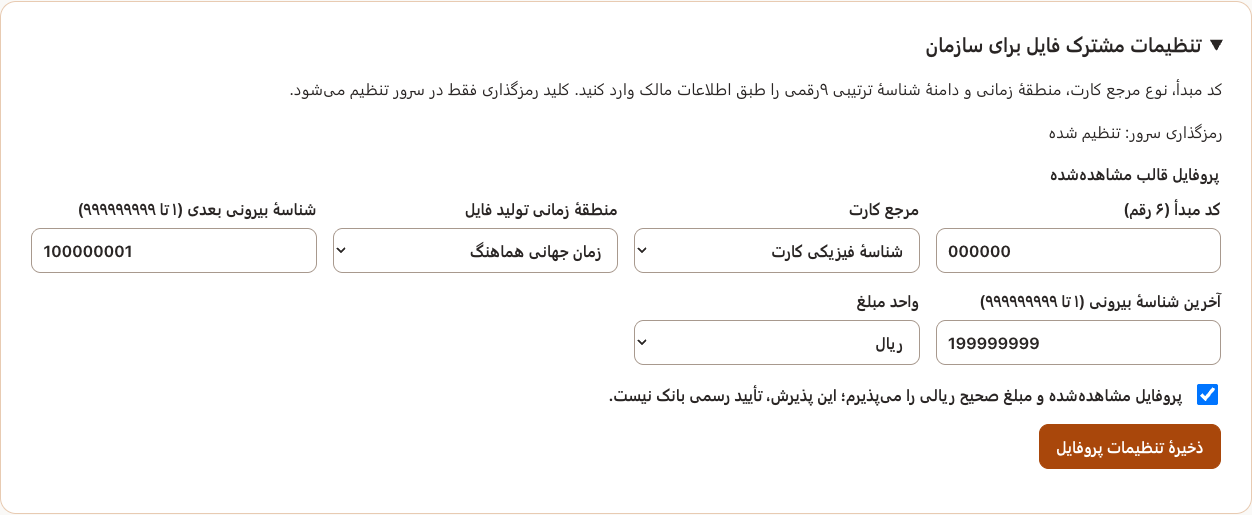
The data shown in this image is synthetic test data.
Pars HadishDetailed product introduction · 7Settlement switch
Product images
Eligible-transaction preview
Original product interface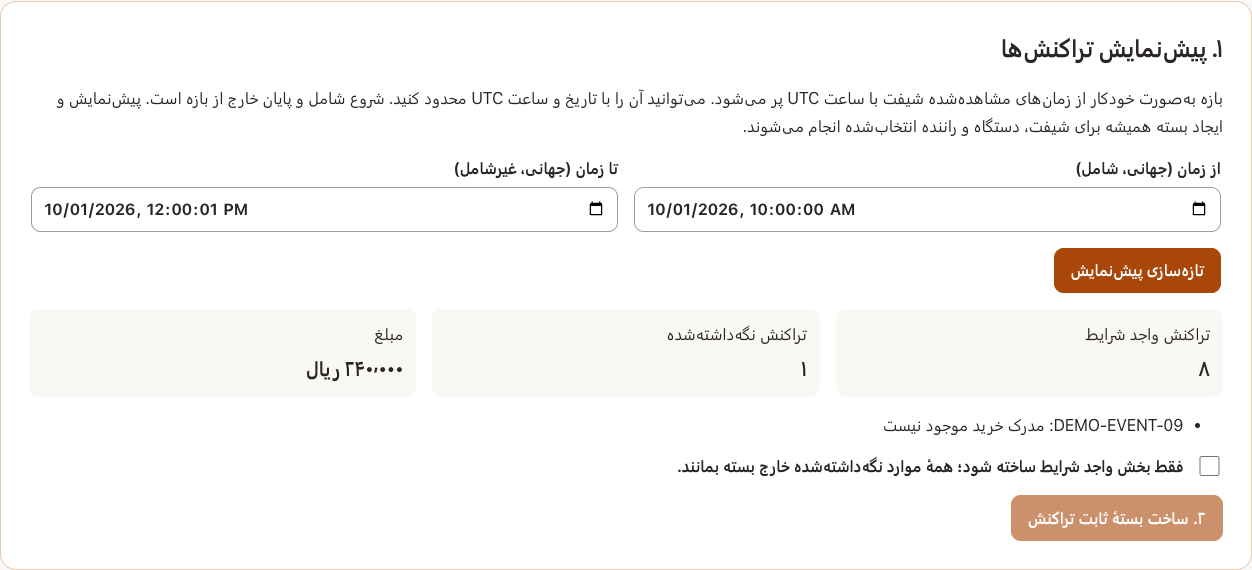
The data shown in this image is synthetic test data.
Pars HadishDetailed product introduction · 8Settlement switch
Product images
Batch detail and reconciliation states
Original product interface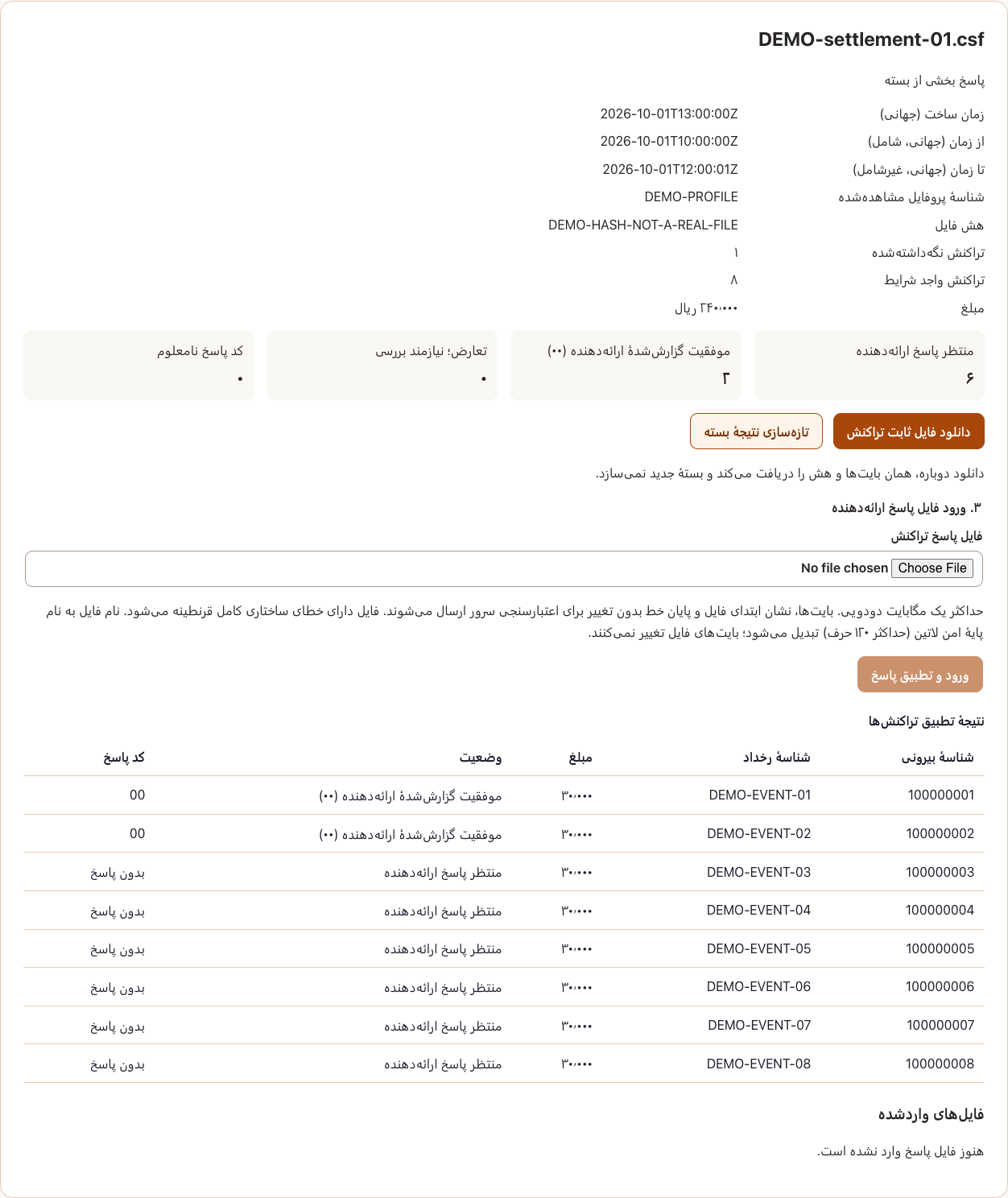
The data shown in this image is synthetic test data.